




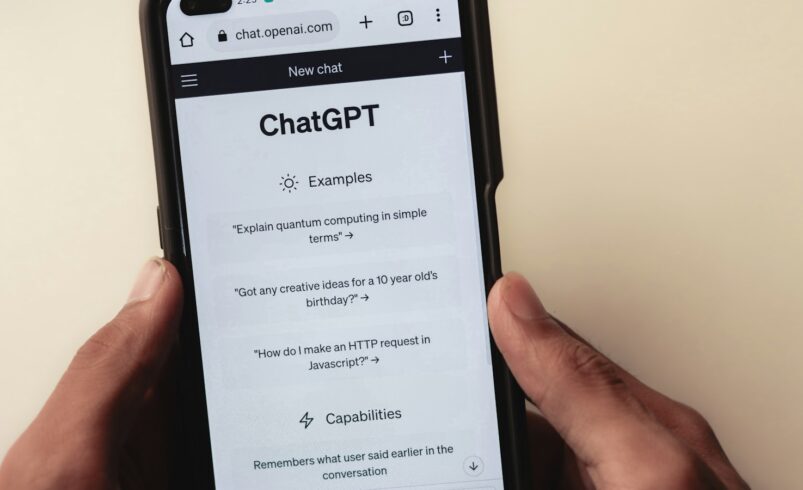

AI chatbots have become the first place many of us go to draft an email, summarize a contract, or ask an awkward health question. That convenience comes with a question most people never stop to ask: where does everything you type actually go? This guide explains, in plain language, how AI chatbot privacy works, what the common settings really mean, and the habits that keep your personal and work information safe without giving up the tools.
Why AI chatbot privacy matters more than search privacy
A search query is usually a few words. A chatbot conversation is different. People paste entire documents, describe family situations, share code from their employer, and upload screenshots that contain names, addresses, and account numbers. A single chat can hold more sensitive context than months of search history.
There is also a trust effect. Chatbots respond in a friendly, conversational tone, which makes it easy to forget you are sending data to a company’s servers. Treating a chatbot like a private notebook is the most common privacy mistake we see.
What happens to your prompts after you press Enter
Every major chatbot works in broadly the same way, even if the details differ by provider and plan:
- Transmission: your message, plus any files you attach, is sent over an encrypted connection to the provider’s servers.
- Processing: the model reads the conversation and generates a reply. Your text is held in memory while this happens.
- Storage: the conversation is usually saved to your chat history so you can return to it. How long it stays depends on your settings and the provider’s retention policy.
- Safety review: many providers keep conversations for a limited period to detect abuse, and some allow trained staff to review flagged chats.
- Possible model training: on some consumer plans, conversations may be used to improve future models unless you turn that option off.
The key point: “deleted from your history” does not always mean “deleted everywhere immediately.” Retention windows for safety and legal reasons can apply even after you clear a chat.
Consumer plans vs business plans
One of the biggest differences in AI chatbot privacy is not which brand you use, but which type of account you are on.
| Feature | Typical free / personal plan | Typical business / enterprise plan |
|---|---|---|
| Used for model training | Sometimes on by default, can often be switched off | Usually off by default and covered by contract |
| Admin controls | None | Central settings, user management, audit logs |
| Data retention | Set by provider policy | Often configurable by the organization |
| Legal agreements | Standard terms of service | Data processing agreements, compliance commitments |
If you handle client data, financial records, or anything covered by an NDA, a personal account is rarely the right place for it. Ask your employer whether an approved business workspace exists before pasting work material anywhere.
The settings that actually matter
Menu names change often, but almost every chatbot now offers some version of these controls. It is worth spending five minutes in the settings page of each tool you use.
1. Training opt-out
Look for wording such as “Improve the model for everyone,” “Use my data for training,” or “Model improvement.” Turning this off means your future conversations should not be used to train new models. It usually does not affect how well the chatbot works for you.
2. Chat history and temporary chats
Many tools offer a temporary or incognito-style mode. These chats are not saved to your visible history and are typically excluded from training, though they may still be kept briefly for safety checks. Use this mode for one-off sensitive questions.
3. Memory features
Some assistants can remember facts about you across conversations, such as your job, location, or preferences. That makes answers more personal, but it also means details persist. Review what has been stored, delete items you are not comfortable with, or switch memory off entirely.
4. Connected apps and file access
Chatbots increasingly connect to email, calendars, cloud drives, and browsers. Each connection widens what the assistant can see. Only connect services you actively need, and remove access you no longer use. Our guide to choosing an AI chatbot for work covers how to compare these integrations.
5. Data export and deletion
Check whether you can download your data and permanently delete your account. A provider that makes both easy is generally more transparent about how it handles information.
What you should never paste into a chatbot
Even with good settings, some information simply does not belong in a general-purpose AI tool:
- Passwords, recovery codes, and API keys. Use a password manager instead.
- Full card numbers, bank details, and government ID numbers.
- Medical records with your name attached. Ask general health questions without identifying details.
- Confidential work files such as unreleased financials, source code, or client lists, unless your company has approved the tool.
- Other people’s personal information, including screenshots of private messages.
10 practical habits for safer AI use
- Anonymize before you paste. Replace names with roles (“Client A,” “my manager”) and remove addresses, phone numbers, and account IDs.
- Summarize instead of uploading. Describe the problem in your own words rather than attaching the original document.
- Use temporary chats for sensitive topics.
- Turn off training on every personal account you use.
- Review memory monthly and delete anything outdated.
- Protect the account itself with a strong unique password and two-factor authentication. A hacked chatbot account exposes your entire history.
- Be careful with browser extensions that claim to “enhance” chatbots. Some read everything on the page.
- Separate work and personal accounts so a mistake in one does not leak into the other.
- Double-check shared links. Shared conversations can often be opened by anyone who has the URL.
- Consider local AI for truly private tasks. Running a model on your own computer keeps data off third-party servers. See our guide on running AI models locally.
Watch out for AI-themed scams
Privacy risks do not only come from the chatbot provider. Scammers create fake “AI assistant” apps, copycat websites, and phishing emails that mimic AI brands to harvest logins. Download apps only from official stores, type the provider’s address yourself, and be suspicious of any message asking you to “verify” your AI account. Our articles on spotting phishing emails and deepfake scams explain the warning signs in more detail.
Is it safe to use AI chatbots at all?
Yes, for most everyday tasks. Brainstorming blog ideas, rewriting a paragraph, learning a new concept, or planning a trip carries very little privacy risk. Problems start when sensitive, identifiable information enters the conversation. The goal is not to avoid AI, but to decide consciously what you share, the same way you would with any online service.
Frequently asked questions
Do AI chatbots read my conversations?
The AI model processes your text to answer it. Human review is generally limited to specific cases such as safety investigations or, on some consumer plans, quality improvement. Check your provider’s privacy policy for the exact rules.
Does deleting a chat remove it permanently?
Deleting removes it from your history, but providers may keep a copy for a limited time for security or legal reasons. Permanent deletion timelines vary by company.
Is temporary chat mode completely private?
It is more private than normal chats because it is not saved to your history and is usually excluded from training. It is not the same as end-to-end encryption, so still avoid highly sensitive details.
Can my employer see what I type into a work AI account?
On business plans, administrators may have access to usage logs or conversation data depending on the configuration. Assume work accounts are visible to your organization.
Bottom line
AI chatbot privacy comes down to three decisions: which account type you use, how your settings are configured, and what you choose to type. Turn off training, use temporary chats for sensitive questions, keep identifying details out of prompts, and secure the account itself. With those habits in place, you can enjoy the productivity boost of AI while keeping control of your data.


